
Apple Pay, LINE Pay, PayPay and JKOPAY in Korea: What Works
Sometimes, but the answer depends on which wallet you mean and where you want to pay. Apple Pay can be used in South Korea with eligible cards from participating issuers, while LINE Pay, PayPay and JKOPAY have different country and merchant rules. I would carry a physical bank card and a little cash as well; one app will not cover every shop, market stall or transport gate.
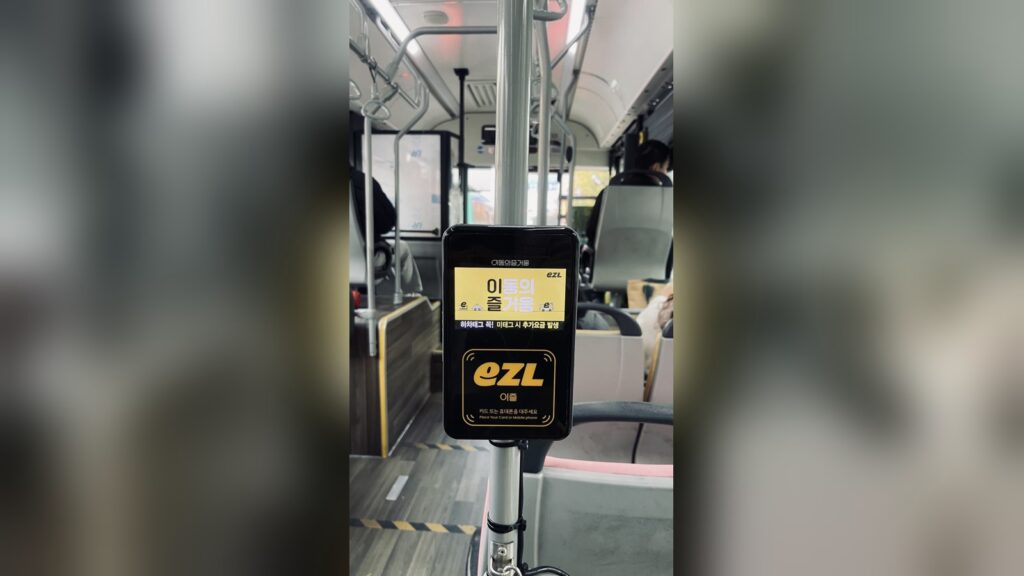
Apple Pay: available, with a local-card condition
Apple lists South Korea as a country where Apple Pay is supported. Its current issuer list names Hyundai Card for South Korea. Apple also says that, in South Korea, only local debit or credit cards can be added to Apple Wallet using the issuer’s mobile app. So having Apple Pay set up at home does not by itself guarantee that your foreign card can be added or used as a Korean Apple Pay card.
Where your card is already provisioned, acceptance still depends on the shop’s terminal and the card network. Look for the contactless or Apple Pay mark, and keep your physical card handy if a terminal does not accept the phone.
Living here, I see far more people tap a plastic card or a Korean phone wallet than open a foreign app. When a cashier looks unsure about my phone, I simply put the card on the counter; it is faster than explaining which wallet I meant.
LINE Pay: do not assume your account works here
LINE Pay’s global help page currently says the service can be used in Japan, Taiwan and Thailand. It does not list South Korea as a supported market. A LINE account or a payment card saved to LINE does not establish that a merchant in Korea can accept a LINE Pay transaction.
If your LINE Pay account is issued in a market with a separate cross-border arrangement, check that account’s official help page for Korea before relying on it. I would not treat a LINE Pay sign in another country as proof that the same wallet works at a Korean checkout.
PayPay: yes at participating Korean QR merchants
PayPay’s official overseas-payment guide lists South Korea. It says a Japanese PayPay user must have completed identity verification in Japan before using the overseas payment mode, and in Korea should look for participating Alipay+ or ZeroPay merchant marks. Availability is merchant-specific, so ask before ordering or check the QR display at the counter.
PayPay also warns that some shops may add a cashless processing fee and that the app may have connectivity limitations with certain Wi-Fi or SIM arrangements. Set up and verify the account before departure, and keep another way to pay.
JKOPAY: confirm the Korean acceptance network
JKOPAY is a Taiwanese wallet, but I could not verify a current official JKOPAY statement that clearly confirms everyday in-person payment acceptance throughout South Korea. A merchant or payment network may list multiple partner wallets, yet that alone does not confirm that every wallet is enabled at every Korean QR terminal. Check JKOPAY’s own travel or overseas-payment notice and look for the wallet’s logo at the merchant before relying on it.
That uncertainty matters most at small businesses. If a cashier says a QR code is accepted, ask whether it supports your particular wallet, not only “QR pay”. A merchant’s QR code may be for a domestic app or a different international network.
At market stalls and tiny snack bars I still pay small amounts in cash. It is quicker for both sides, and nobody has to hunt for the right QR stand while a queue builds behind you.
What I would carry
| Payment method | What is verified | What to do |
|---|---|---|
| Apple Pay | South Korea is supported; Apple lists Hyundai Card as a local issuer | Check your card eligibility and use it where contactless is accepted |
| LINE Pay | Official help lists Japan, Taiwan and Thailand, not Korea | Do not rely on it for Korean in-person purchases without a specific official confirmation |
| PayPay | Works in South Korea at participating Alipay+ or ZeroPay merchants, subject to account verification | Set up in Japan before travelling and check the merchant mark |
| JKOPAY | Current Korean in-person acceptance not confirmed from an official source | Check JKOPAY directly and ask the merchant before purchase |
In my view, a physical international card is still the least complicated backup for ordinary purchases, with cash for places or situations where card payment is not practical. For subway and bus rides, use a transit card or ticket; a store wallet is not automatically a transit credential.
At checkout
Before you order, show the app or ask which payment marks the shop accepts. Keep your phone unlocked and connected, and check that your wallet can display its payment screen before you reach the register. If the payment fails, switch methods without holding up the queue.
See our guides to money and payment in Korea, foreign cards for trains and subway tickets and ordering at Korean restaurants.
Pages behind this advice
Checked 18 November 2026.
- Apple Support: participating banks and card issuers in Asia-Pacific
- Apple Support: setting up Apple Pay, including South Korea restrictions
- LINE Pay Global Help Center: supported countries
- PayPay: using PayPay overseas
- PayPay Help: overseas payment mode and requirements
- JKOPAY official site — Korea in-person acceptance details not confirmed